
Free WordPress plugin
Web Plura AI Bridge
Read Web Plura product and bridge activity status through the WordPress Abilities API. Choose optional MCP exposure only when your workflow needs it.

Built for controlled access
- Read-only status; no scans or write actions
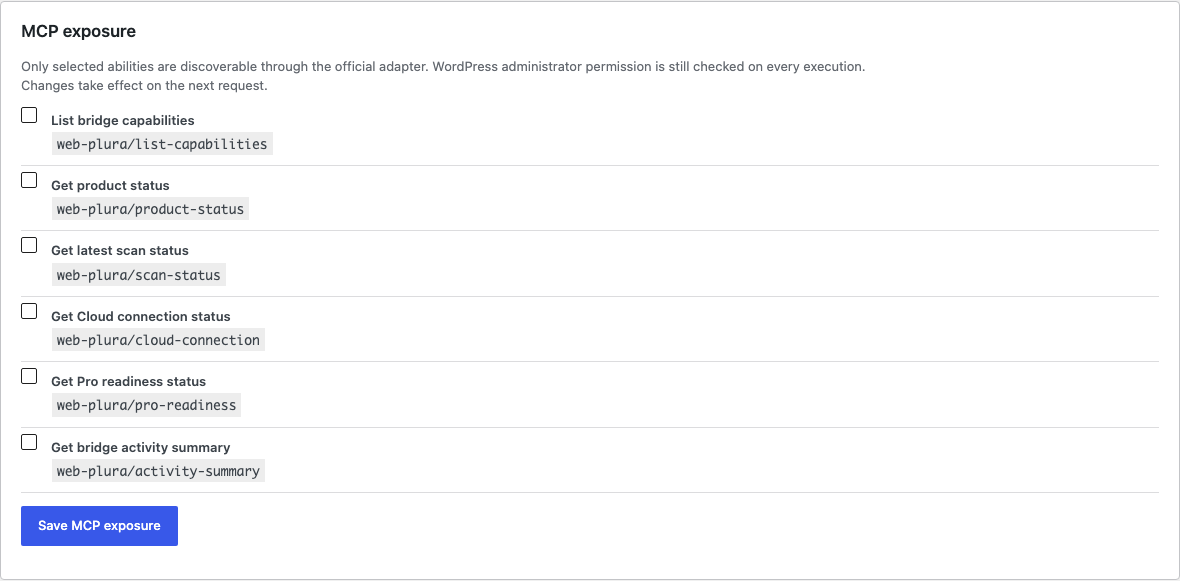
- Six permission-gated abilities
- MCP exposure off by default
- No bridge telemetry or external service calls
Product screenshots
See read-only status in WordPress
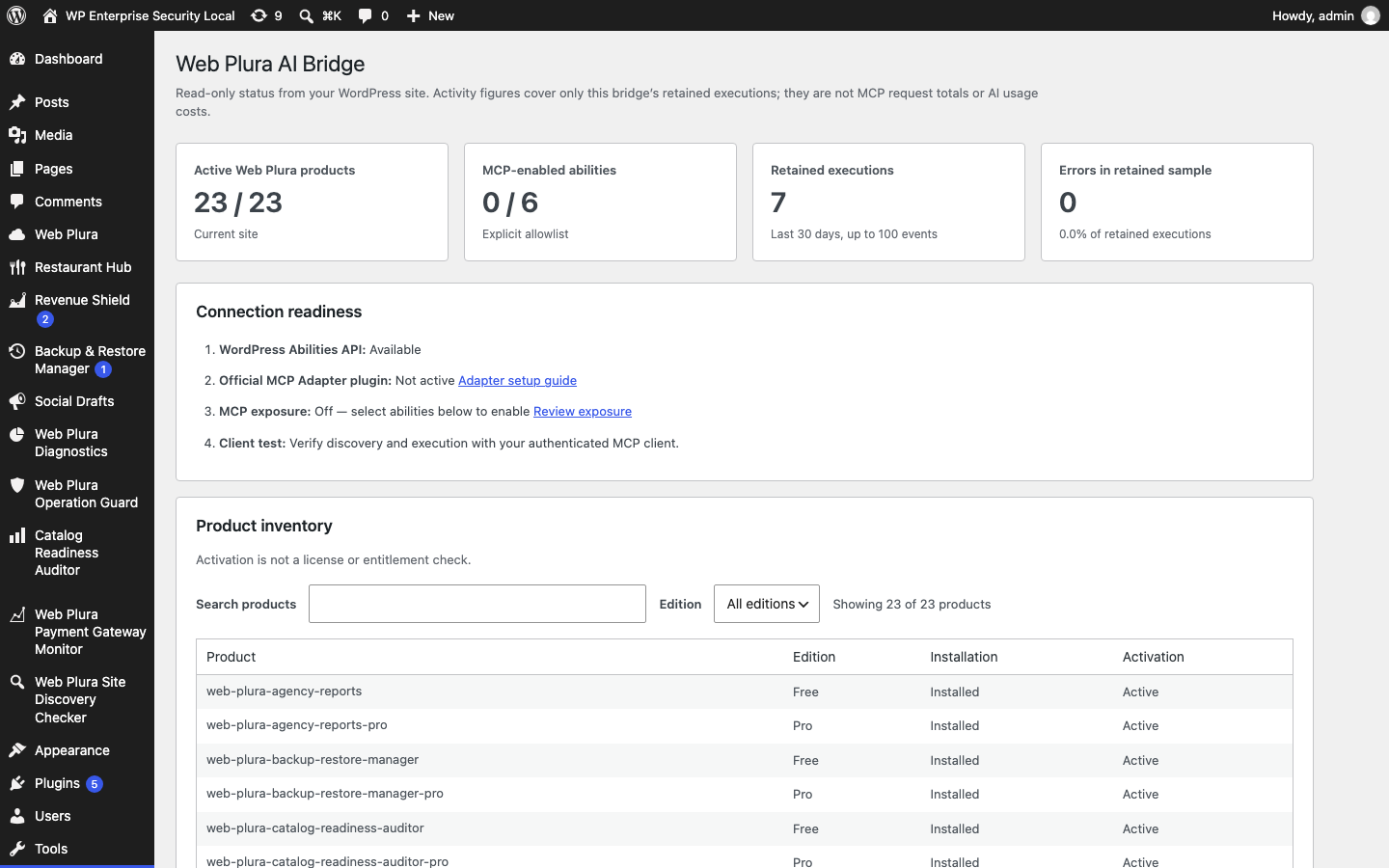
Explore the WordPress interface before choosing your next step. Results shown in screenshots are example site data.
Capabilities
Useful status without changing your site
The bridge reads bounded answers from existing product state. It does not modify the products it checks.
Discover capabilities
List available bridge abilities and read the status of installed Web Plura products.
Review scan status
See the last recorded scan timestamp for supported Free products. The bridge never starts a scan.
Check connection readiness
Read limited cloud connection and Pro readiness signals from existing local state.
Review bridge activity
See statistics and access history from a bounded local audit sample. This is not a record of every MCP request or AI provider cost.
Setup
Start locally. Choose MCP separately.
- 1.Install and activate Web Plura AI Bridge.
- 2.On WordPress 6.9 or newer, review Settings → Web Plura AI Bridge.
- 3.Use the read-only abilities locally; optionally install the official WordPress MCP Adapter.
- 4.Select individual abilities to expose through MCP when needed. All are off by default.
Requirements and access
Requires PHP 7.4 or newer. Abilities register on WordPress 6.9 or newer; on older supported versions the plugin shows an administrator notice instead. The official WordPress MCP Adapter is a separate, optional installation.
Privacy and data boundaries
The bridge contacts no external service and sends no telemetry. Its dashboard uses a bounded local audit sample. Optional MCP requests are handled by the official adapter with WordPress authentication when an administrator enables them.
FAQ
Questions before you install
Do I need the WordPress MCP Adapter?
No. The six read-only abilities register on WordPress 6.9 or newer without it. Install the official adapter separately only if you want MCP access.
Is MCP access enabled after installation?
No. Every MCP ability is off by default. An administrator selects which abilities the official adapter may expose in Settings → Web Plura AI Bridge.
Does AI Bridge run scans or change product settings?
No. It reads bounded status from supported products. Scan status reports the last recorded timestamp and does not start a scan.
Does the plugin send data to Web Plura or an AI provider?
The bridge itself contacts no external service and sends no telemetry. If enabled, optional MCP requests are handled by the separately installed official WordPress MCP Adapter using WordPress authentication.
What happens on older WordPress versions?
Below WordPress 6.9, the plugin activates with an administrator notice but registers no abilities. It requires WordPress 5.8 or newer and PHP 7.4 or newer to install.
Get started
Install AI Bridge for free
Review local product status first, then enable selected MCP abilities only if you need them.